Management panel: more efficiency and control
One-time promotions Version 7.8 update
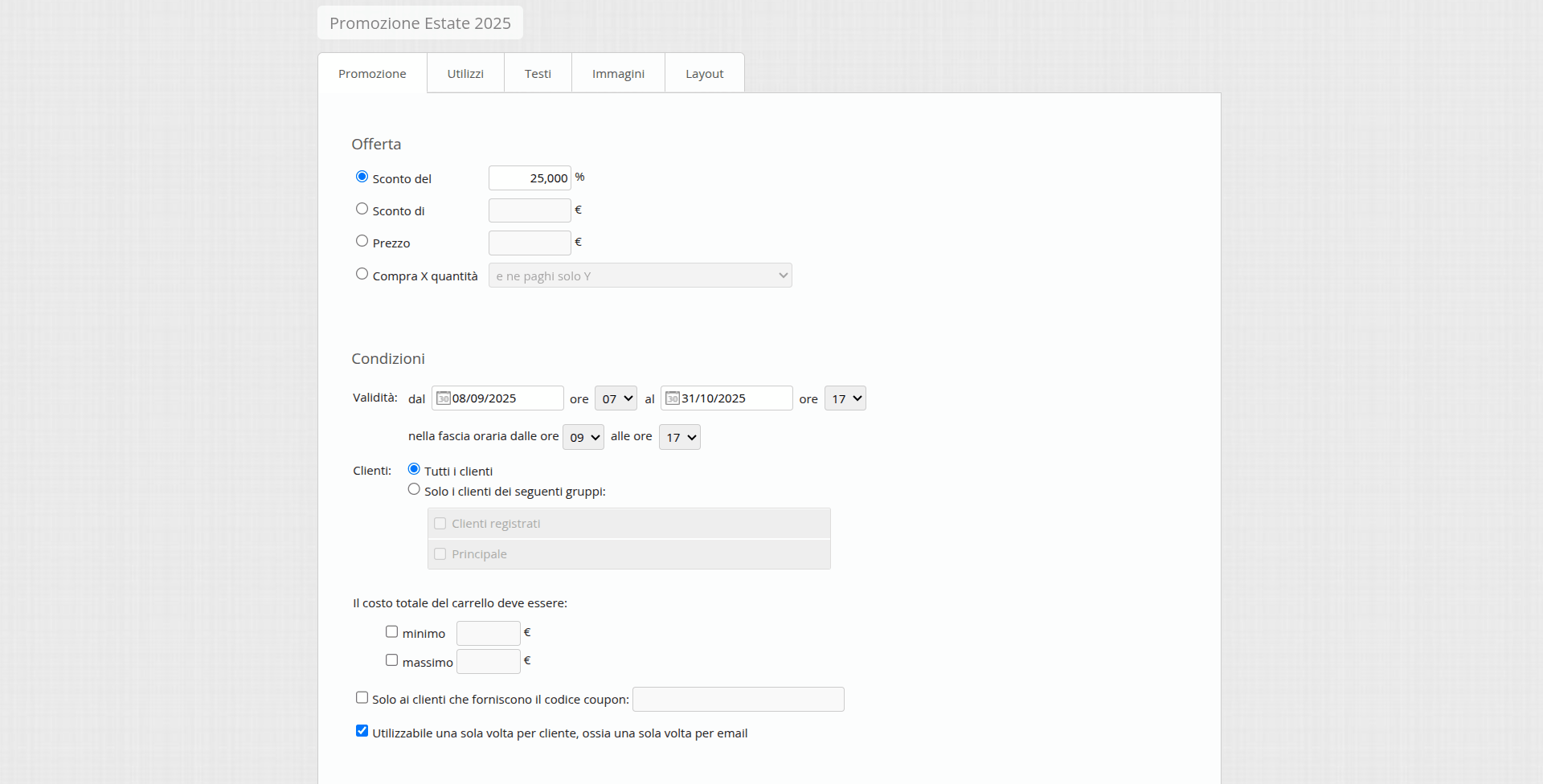
To offer greater flexibility in your marketing strategies, we introduced the ability to create One-Time Promotions, even without coupons.
This new type of promotion differs from standard ones in a key way: it can be used only once per customer. The system recognizes the customer via the email address provided at checkout.
How it works
When a customer completes an order using a one-time promotion, their email address is automatically added to a specific list for that promotion. From that moment on, the same customer can no longer use the same offer.
You have full control over this list: from the management panel you can manually add or remove email addresses. This flexibility lets you handle exceptions or reassign the offer to a customer who, for example, did not complete an order.
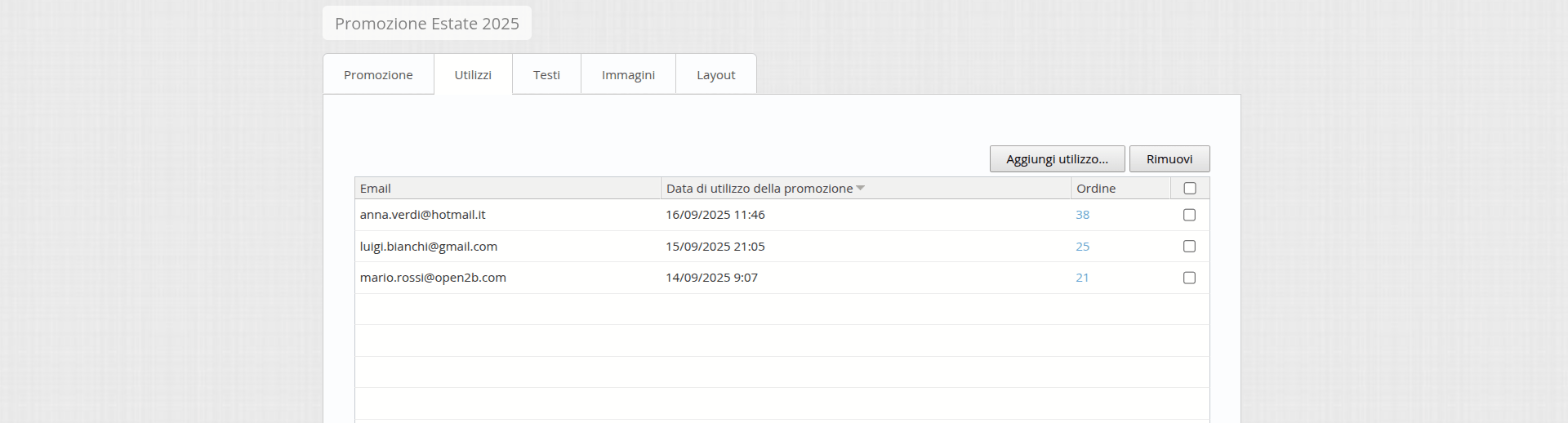
If in the future you decide to turn a one-time promotion back into a standard promotion, the system will notify you that the list of associated email addresses will be permanently deleted.
One-time promotions are ideal for targeted campaigns such as:
- Exclusive discount codes for newsletter subscribers.
- Welcome offers for new sign-ups.
- Personalized discounts for loyal customers.
This feature lets you create more exclusive, controlled offers, optimizing the effectiveness of your promotional campaigns.
Promotions based on Shipping and Payment Version 7.8 update
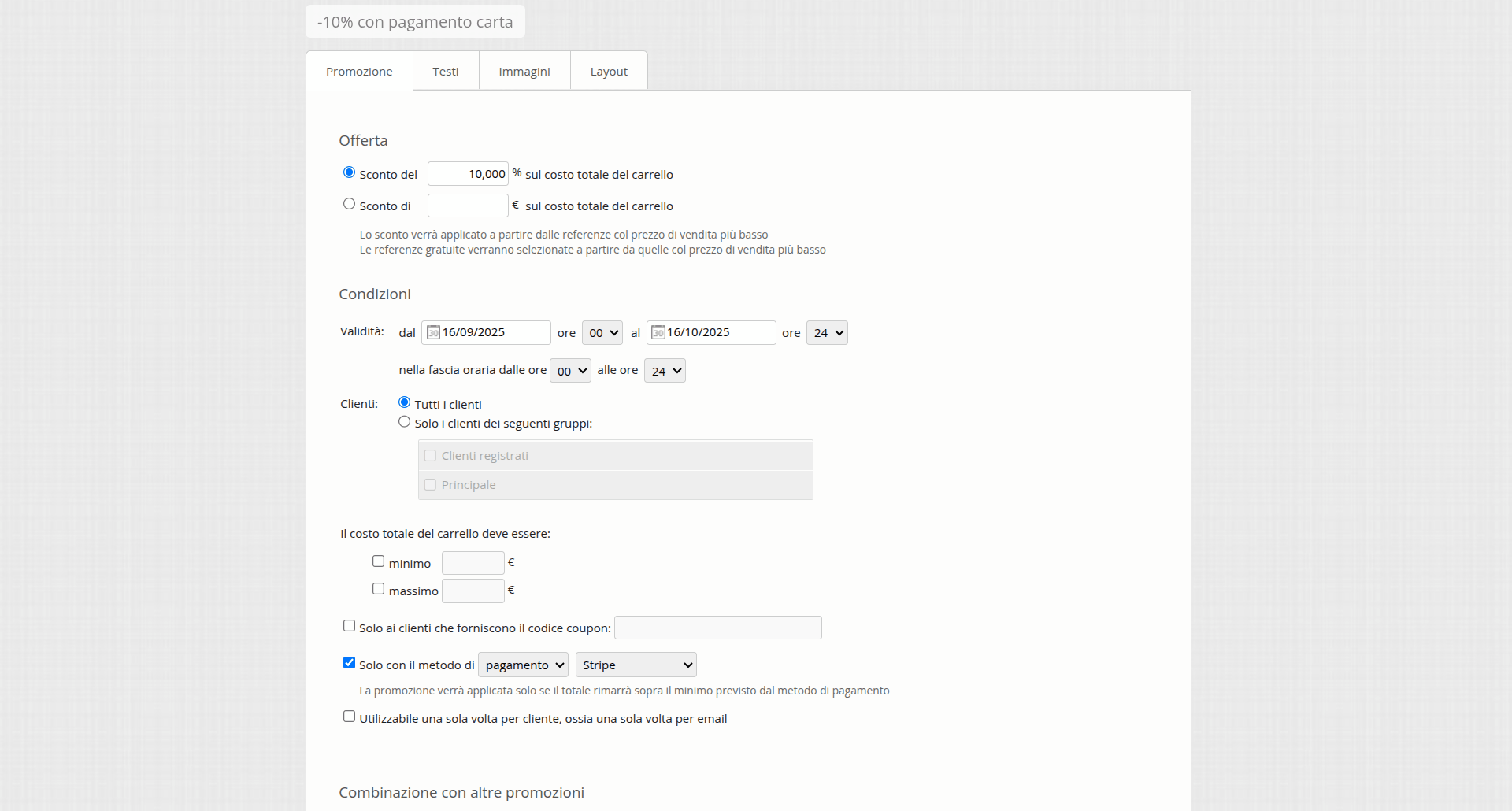
You can now create promotions on the cart total that activate only for specific shipping methods or payment methods.
How it works
When you create a new Discount on cart total promotion or edit an existing one, you will find new options that let you link the discount to an additional condition:
- Promotion tied to a shipping method: By selecting one or more shipping methods (e.g., Pickup in store, Express Courier, Free Shipping), the promotion will be applied only if the customer chooses one of these for their order.
- Promotion tied to a payment method: Likewise, you can make the discount activate only when the customer selects a specific payment method (e.g., PayPal, Stripe, Bank Transfer, or Cash on Delivery).
Thanks to this flexibility, you can create targeted campaigns and optimize operating costs:
- Encourage the use of specific payment methods: Offer a 5% discount for orders paid with a method that has lower fees, such as bank transfer, reducing transaction costs.
- Promote a shipping method: Offer free shipping or a shipping discount if the customer chooses in-store pickup, streamlining warehouse logistics.
- Flash offers: Create time-based promotions that reward customers who choose fast payment methods, such as PayPal, to speed up order completion.
This new feature will help guide customer choices, improve your e-commerce efficiency, and make your promotions even more effective.
Advanced filters for promotion management Version 7.8 update
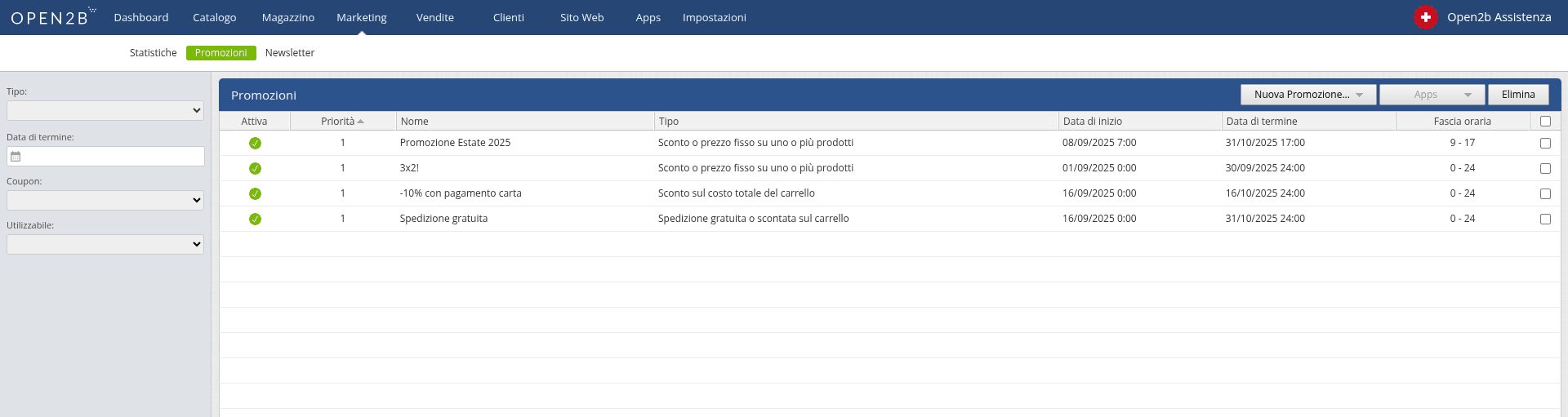
We added filters to the promotions page to simplify offer management. You can now filter promotions by different criteria:
- Promotion type: to display only promotions of a specific type (e.g., "product discount", "free shipping", "cart total discount").
- End date: to quickly find promotions that are about to expire or already expired.
- Coupon presence: to distinguish promotions that require a coupon code from those applied automatically.
- One-time usage: to isolate promotions that customers can use only once.
Automatic collection updates Version 7.8 update
Collections allow you to choose which products to show to specific customers on the site.
We introduced an important optimization to the collection management system, designed to simplify your work and ensure your catalog is always up to date.
Until now, the list of products inside a collection was updated manually by clicking the "Recalculate" button. With Open2b Commerce Ready 7.8, this process becomes fully automatic.
How the new automation works
From now on, every time you make changes to your catalog, the system will update in real time the collections to which products belong. This includes:
- Creating, editing, and deleting products or their variants (references).
- Removing manufacturers or attribute values (e.g., colors, sizes, etc.) that were included in collections.
Thanks to this automation, you will no longer need to manually update collections after adding new products or making changes. Your site will always present the correct assortment, consistent with the settings you have defined.
Note: In case of bulk product import (via Danea or Excel), the system will delay the automatic update until after the operation is complete, to ensure efficiency and stability.
This improvement saves time and keeps your catalog accurate, offering customers a smooth and consistent browsing experience.
For more information on how to use Collections, see our dedicated guide: How to use Open2b Commerce Ready Collections
Optimized image upload Version 7.7 update
The product image upload process has been significantly simplified: you can now select and upload multiple images at once with a single action, without adding them one by one. In addition, the selection window shows only JPEG files, making the choice even easier.
For those who need bulk uploads across multiple products, the dedicated module is still available on request.
Advanced management of payable amounts Version 7.7 update
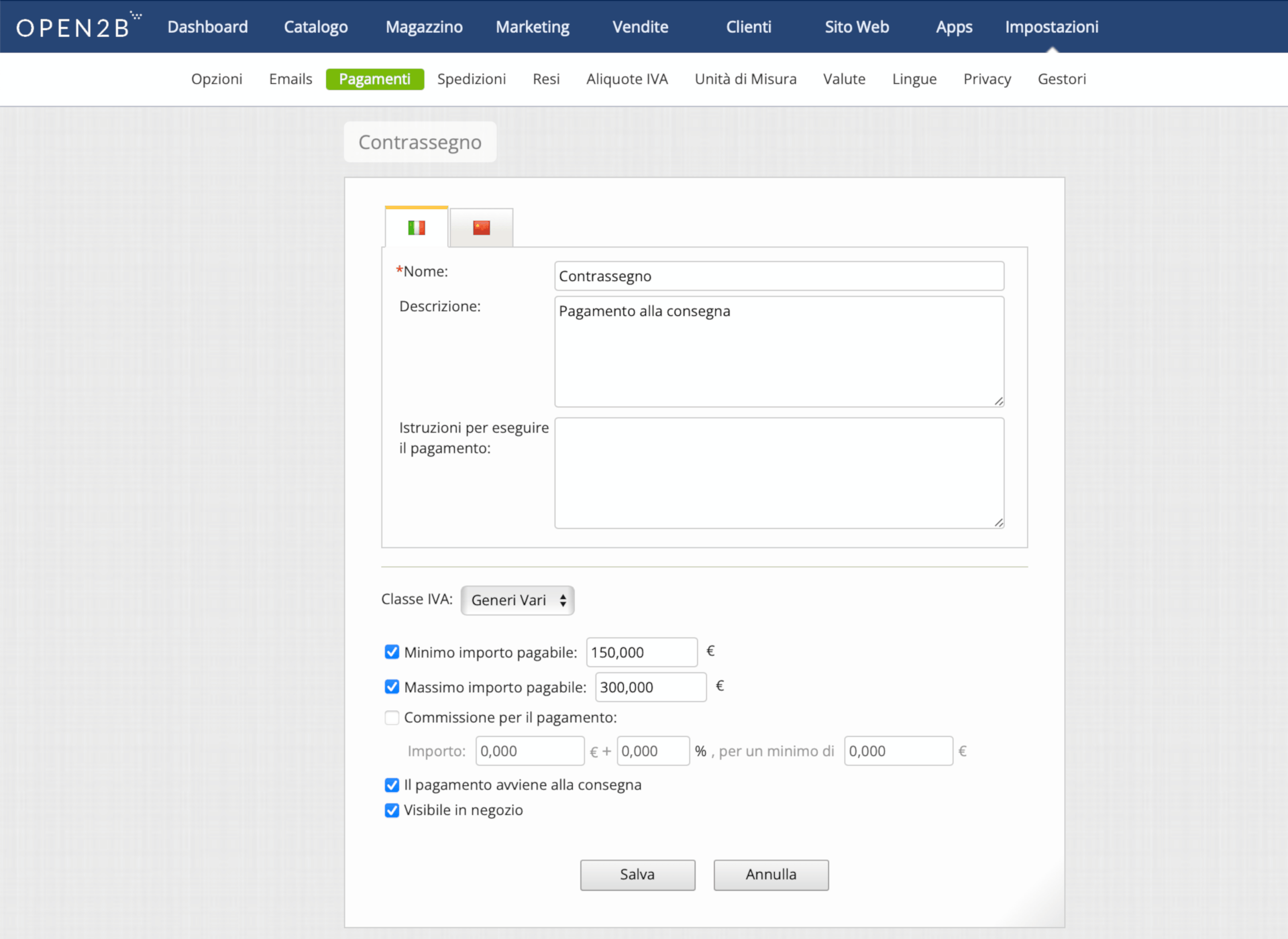
The ability to set a minimum amount for each payment method has been introduced, allowing you to define precise thresholds for accepting specific payments, such as bank transfers or installment solutions.
In addition, maximum amount handling has been improved: the maximum value set is now included in the range, ensuring clearer, more accurate configuration. For example, if you set a maximum of 1,000 EUR, that value will now be considered valid, without needing to enter 1,001 EUR as in previous versions.
New status for return management Version 7.7 update
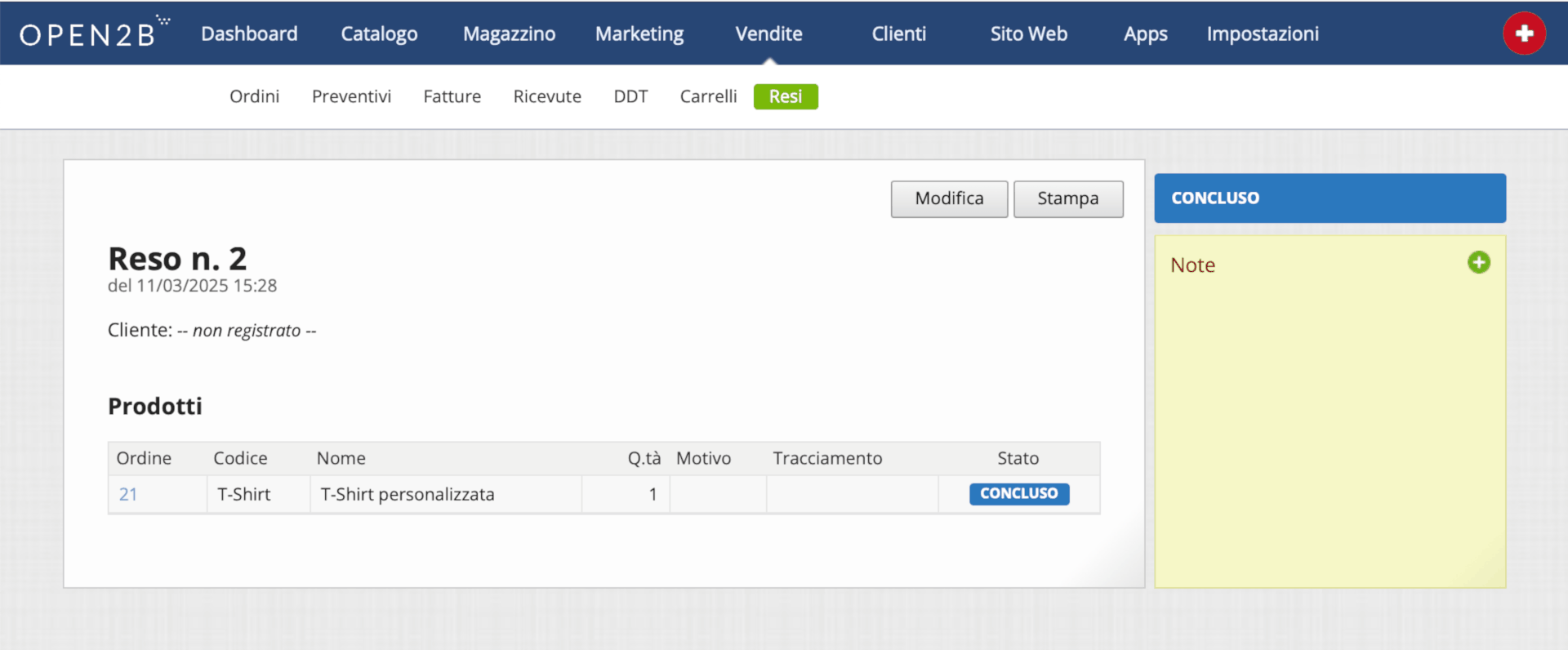
The return management system is enhanced with the introduction of the "Completed" status, which is added to existing statuses (Pending Approval, Approved, Partially Approved, Cancelled, and Rejected). A return is automatically considered Completed when all associated lines reach the same status or if at least one is Completed while the others are Rejected or Cancelled.
Advanced icon customization Version 7.7 update
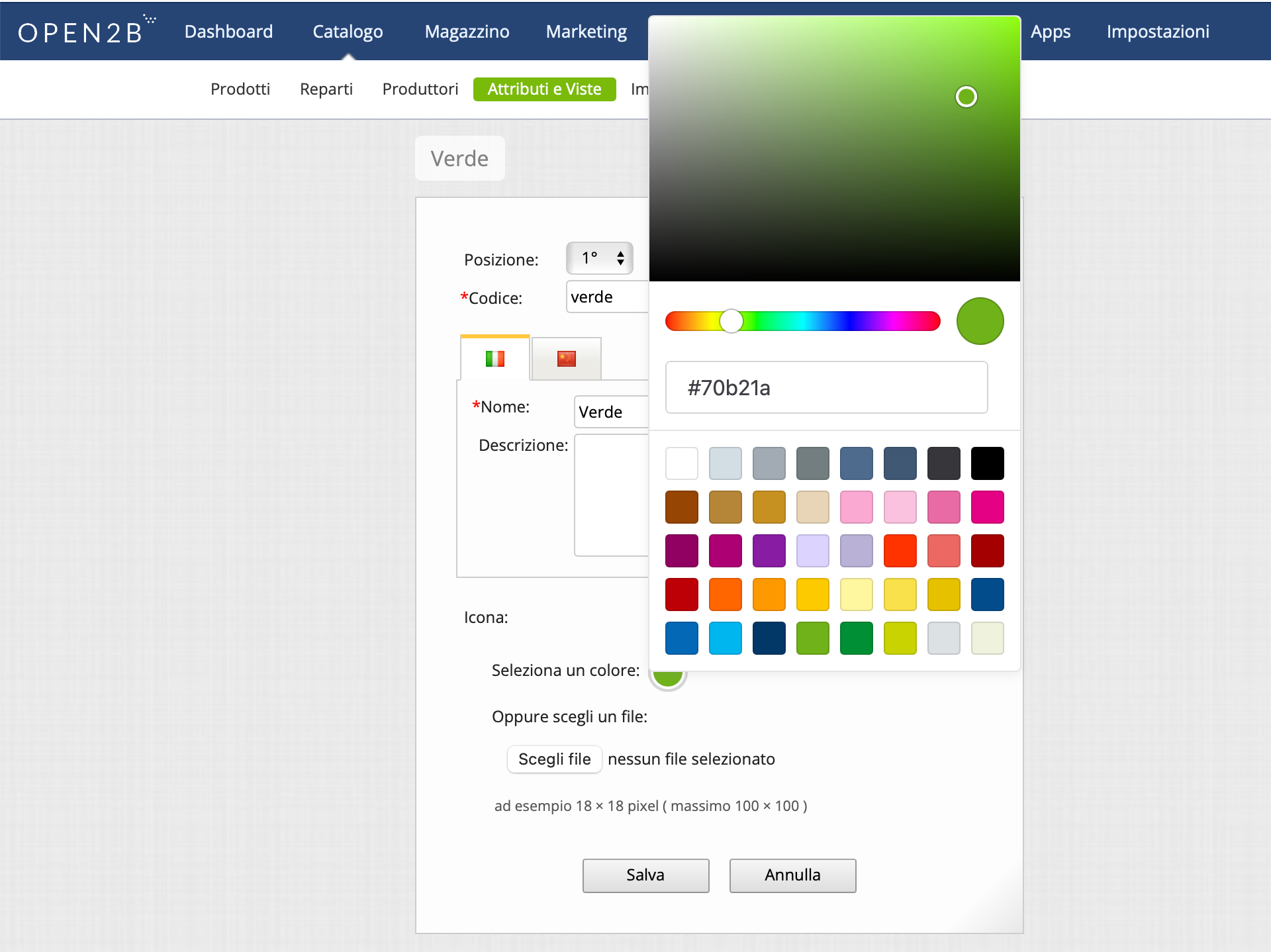
No more limited color selection: thanks to the integration of a color picker, you can now choose any color for attribute value icons, increasing customization options.
Disabling pre-2017 fields Version 7.7 update
To ensure greater efficiency and update software functionality, starting from version 7.7 support for fields from versions prior to 2017 has been removed from product catalog Excel import and export features.
Site: more flexibility for customers
Website: improved translation function Version 7.8 update
The translate function in graphic templates now supports additional parameters, allowing dynamic variables to be inserted within translations.
We introduced this to further simplify the work of web designers who customize or develop templates for Open2b Commerce Ready e-commerce sites.
For example, suppose we want to write in the cart "Hello Carlo, you are still 13.40 EUR away from free shipping".
Currently, in the template you would write:
{{ translate("Cart message part 1") }} {{ customerName }} {{ translate("Cart message part 2") }} {{ additionalPrice }} {{ translate("Cart message part 3") }}
and insert in translations for all languages:
- Cart message part 1=Hello
- Cart message part 2=, you are still
- Cart message part 3=away from free shipping
With the new translate in the template, introduced with version 7.8, you just write:
{{ translate("Cart message", customerName, additionalPrice) }}
and in translations:
Cart message=Hello {0}, you are still {1} away from free shipping
Custom requests per order line Version 7.7
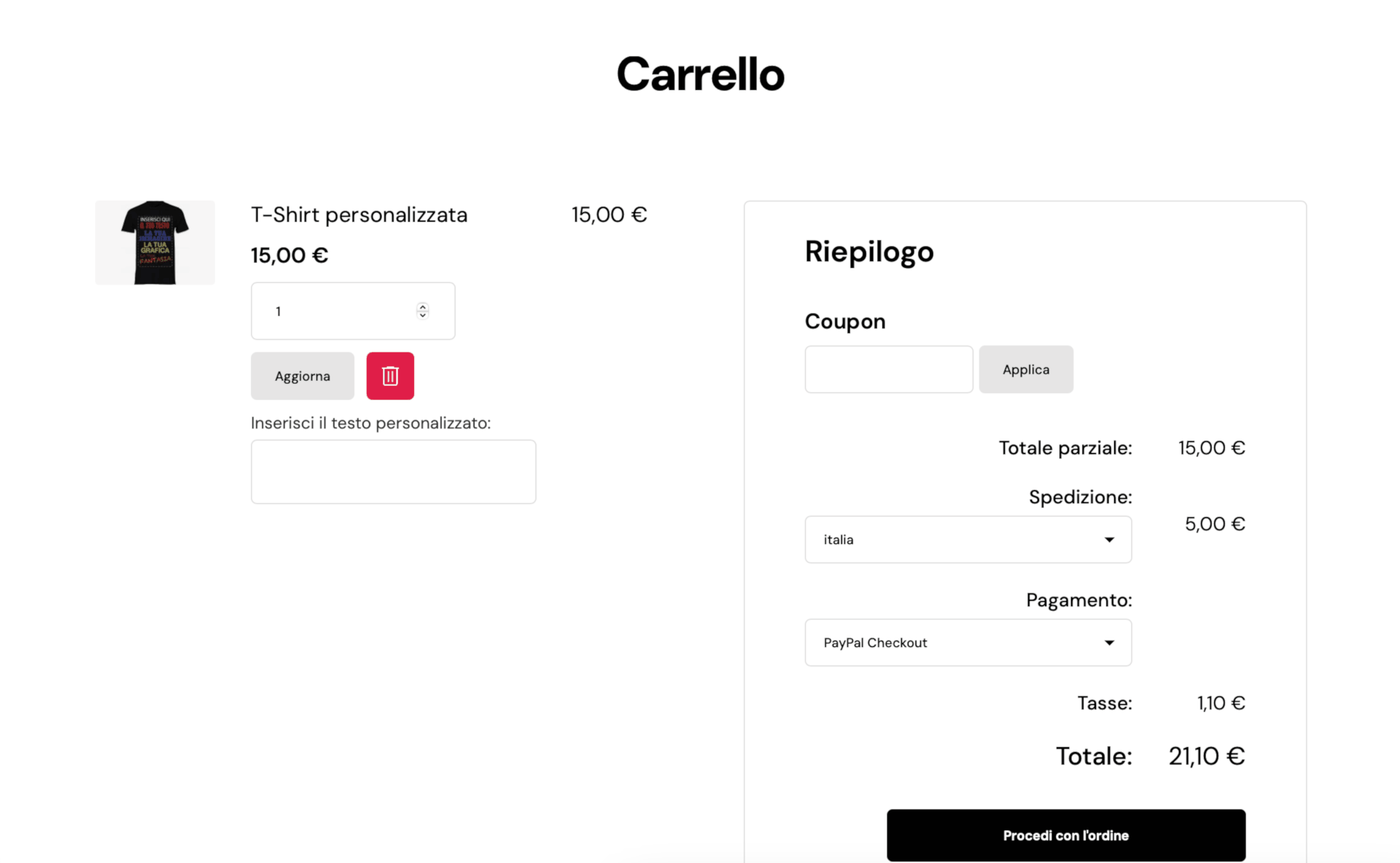
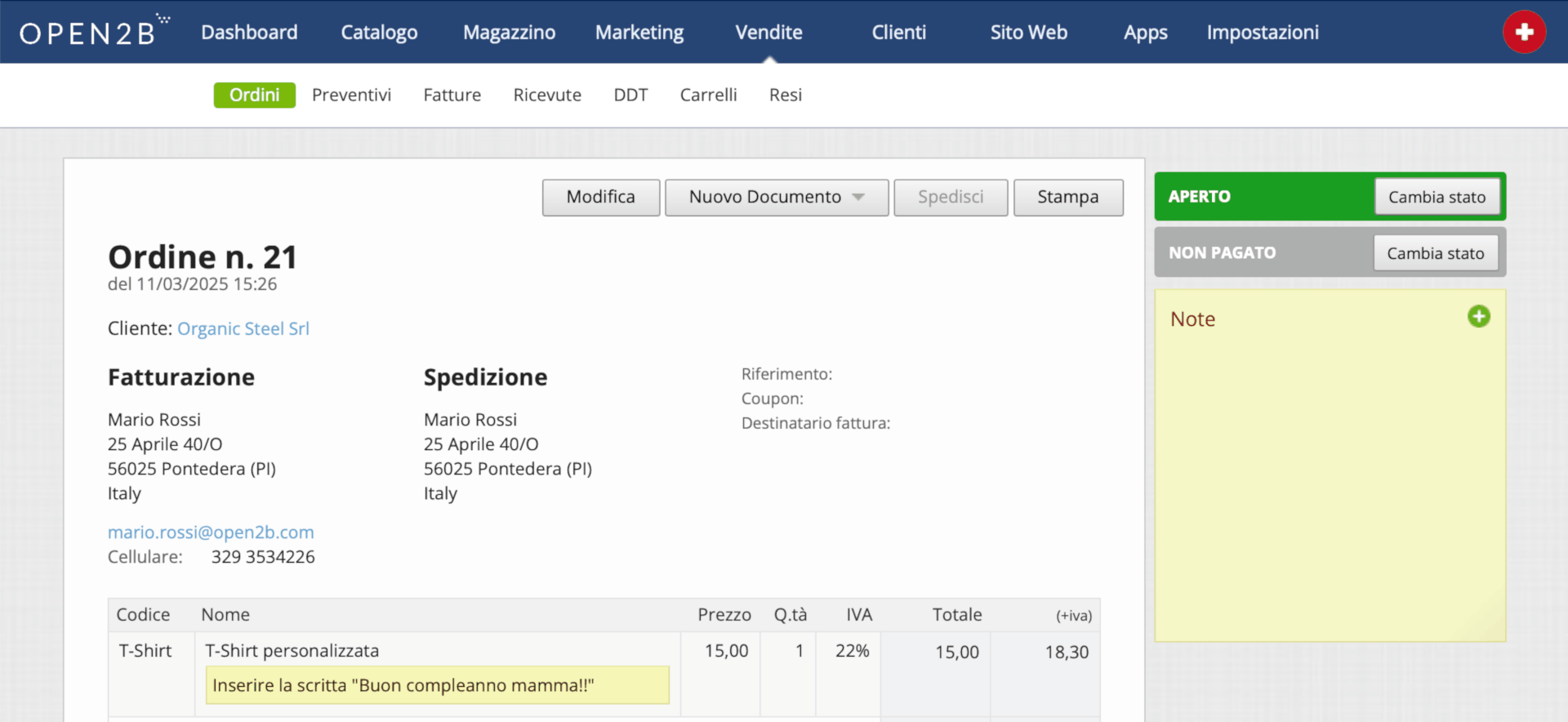
A new feature simplifies communication between customers and e-commerce: in addition to general order notes, it is now possible to add specific requests for each order line. A feature already available for quotes, now extended to orders to ensure greater flexibility in managing requests.
Support for Chinese language Version 7.7
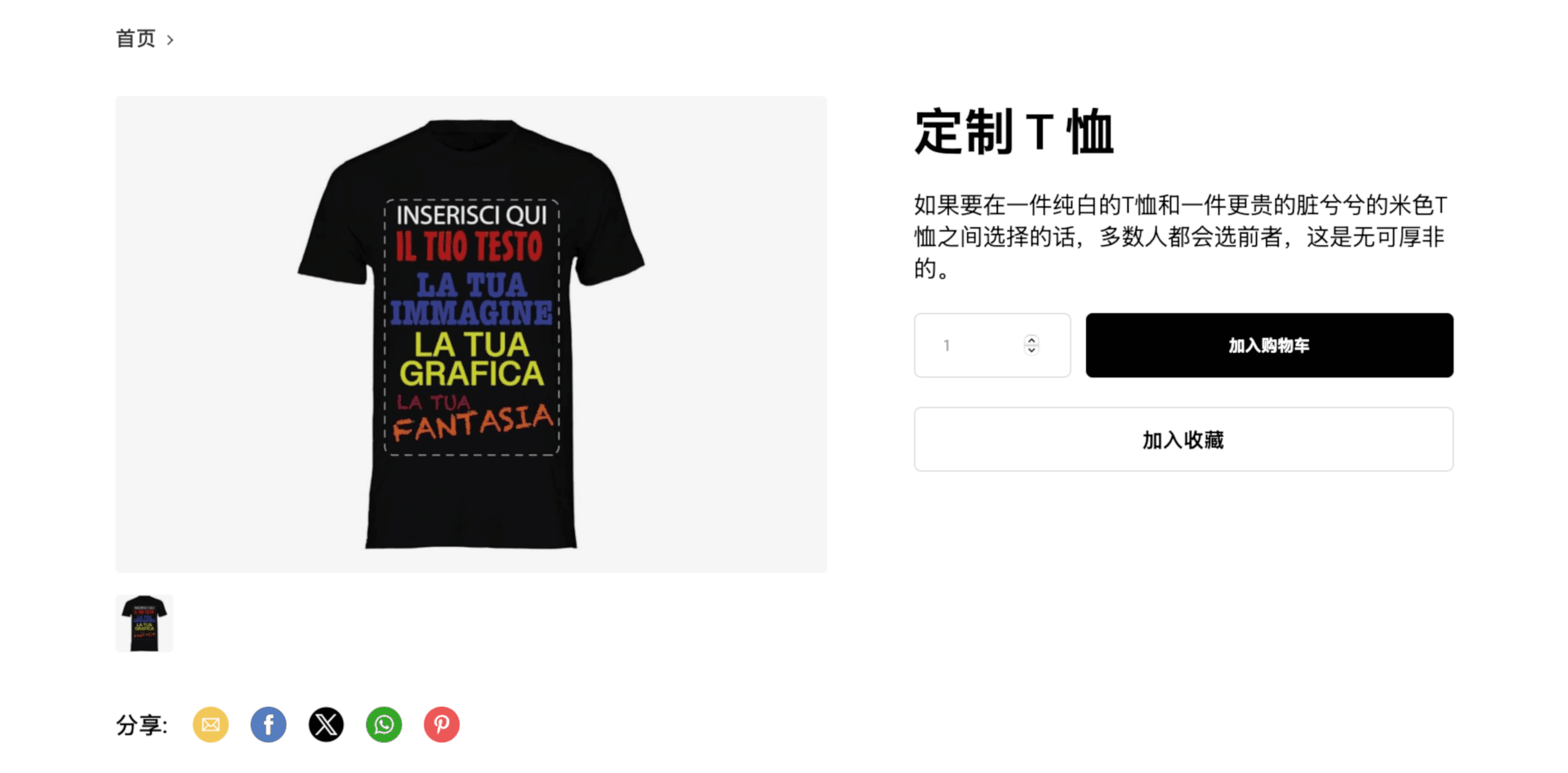
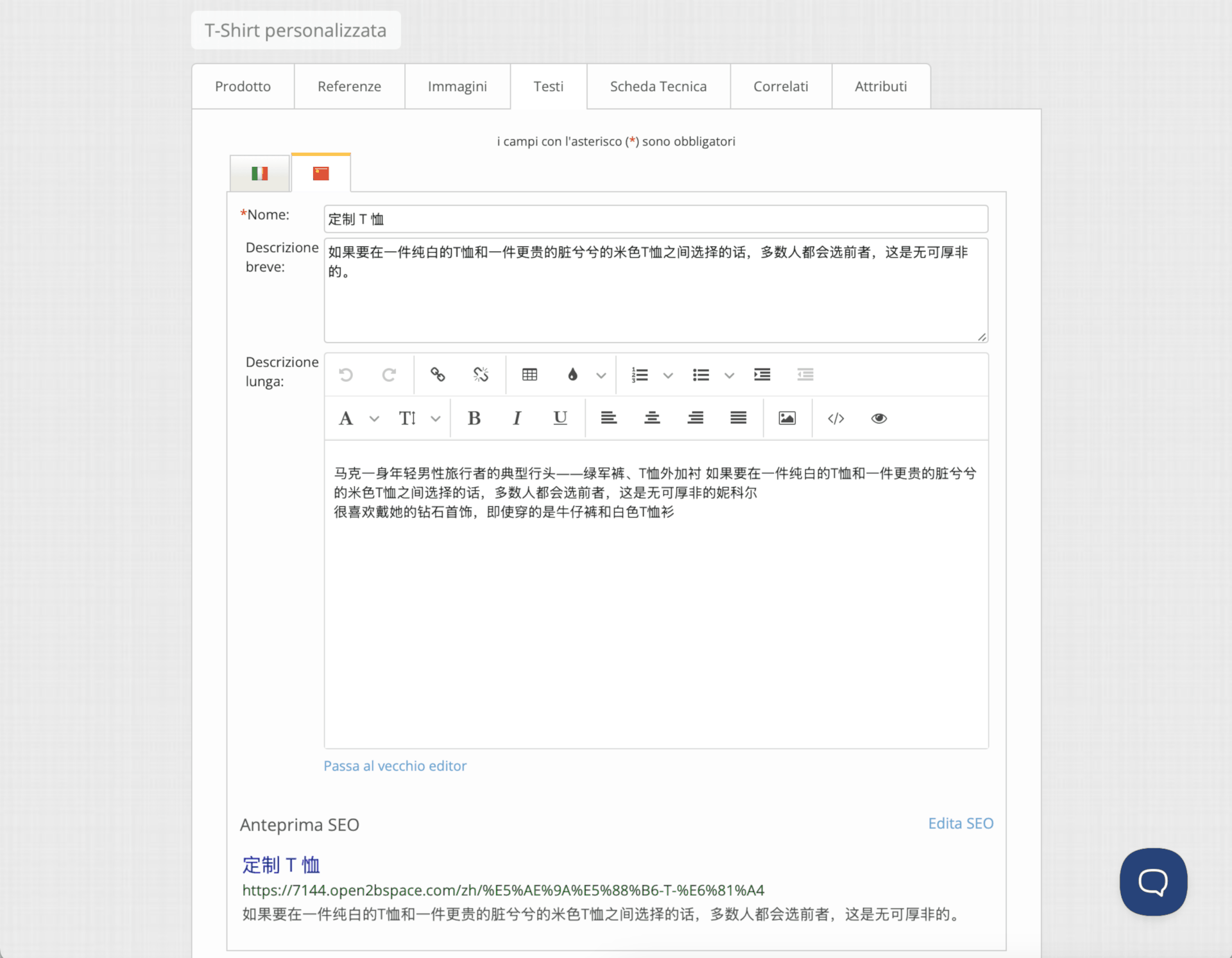
The e-commerce platform expands its multilingual support: Chinese is now available for managing product descriptions, categories, pages, and all textual sections of the site. A strategic update for businesses looking to expand into international markets.
Accept Google Pay payments via PayPal Additional feature available on request
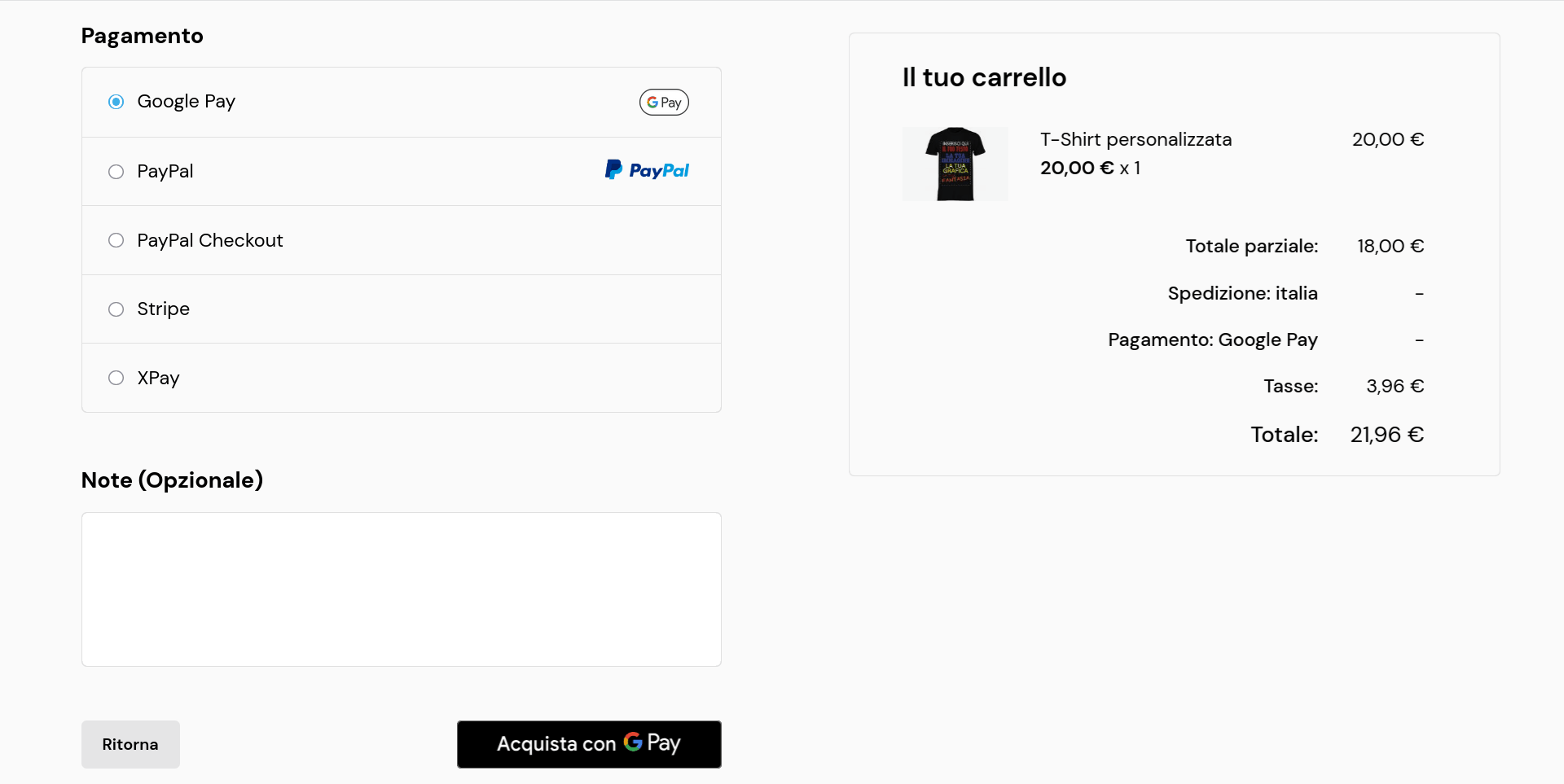
Customers already using the Advanced PayPal system can add, on request, a new option: payments via Google Pay.
This addition expands the payment methods already available with PayPal (the classic button and credit cards), offering customers an even faster, more convenient, and secure checkout solution.
Benefits for your e-commerce
- Faster checkout: Customers who use Google Pay can complete the purchase with one tap, without manually entering card details.
- Optimized mobile experience: Google Pay is a payment option designed for mobile devices, significantly improving the shopping experience for those browsing on smartphones or tablets.
- Additional security: All Google Pay payments are protected by multiple layers of security, providing peace of mind for you and your customers.
With this update, you not only streamline the purchase process for those who prefer Google technology, but also increase conversion opportunities in your e-commerce.
PWA and push notifications Additional feature available on request
You can now integrate Progressive Web App (PWA) and Push Notifications into your Open2b Commerce Ready e-commerce. These tools are designed to improve user experience, increase engagement, and boost sales.
What are PWA and Push Notifications
- Progressive Web App (PWA): Your e-commerce site will behave like a mobile app. Customers can "install" it on their smartphone for faster access and smoother browsing without downloading a native app.
- Push Notifications: These let you send instant messages directly to customers' browsers, even when they are not on your site. They are ideal for:
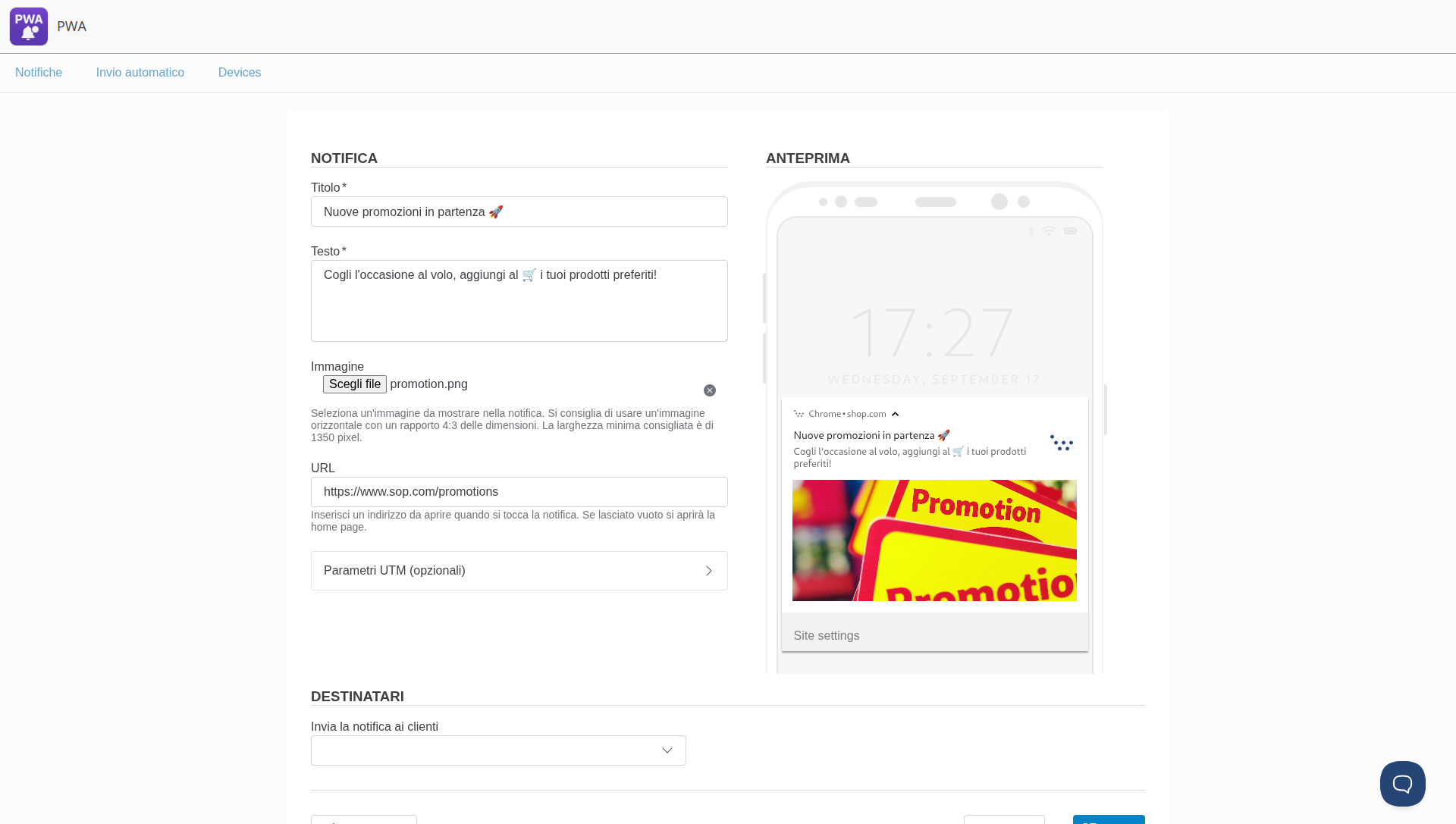
- Sending order updates.
- Promoting targeted discounts and offers.
- Building loyalty with personalized content
How the integration works
We developed a process that lets you add these features to your site. Activation requires a technical intervention on the graphic template to ensure perfect integration and customization.
With PWA and Push Notifications, you can offer a modern, fast, engaging shopping experience, increasing customer loyalty and conversions.
Read the dedicated article on our E-commerce blog
Developers: new APIs and technical improvements
API v13: more power and integration Version 7.8 update
With version 7.8 we released the new API version v13, introducing further optimizations for more performant and efficient integration with external systems.

Promotions Version 7.8 update
New method field
Promotions on the cart total have been enhanced with the new method field, which lets you choose which payment or shipping method triggers the promotion in the cart.
New isOneTimePerCustomer field
All promotion types can now be set to be usable only once per customer. The new API commerce.promotion-usages has also been introduced to allow management of one-time promotion usage.
New search filters
The conditions parameter of the commerce.promotions.find and commerce.promotions.count calls now includes the new fields hasCoupon, isOneTimePerCustomer, endTimeFrom, and endTimeTo
Storefront
Fixed the departments field in product and cart calls.Version 7.8 update
The departments field in products returned by the storefront.products call and the items.departments field returned by the storefront.cart call may currently include IDs for departments that should be hidden.
This change resolves the issue by filtering those IDs for the new versions of the storefront API. For previous versions, the current behavior is maintained to ensure backward compatibility.
New RequestsContent field Version 7.7 update
The CartItem type has been updated with the RequestsContent field, which stores the content of specific requests for each item in the cart
API v12: more power and integration Version 7.7 update
With version 7.7 the new API version v12 was released, introducing further optimizations for more performant and efficient integration with external systems.