Store
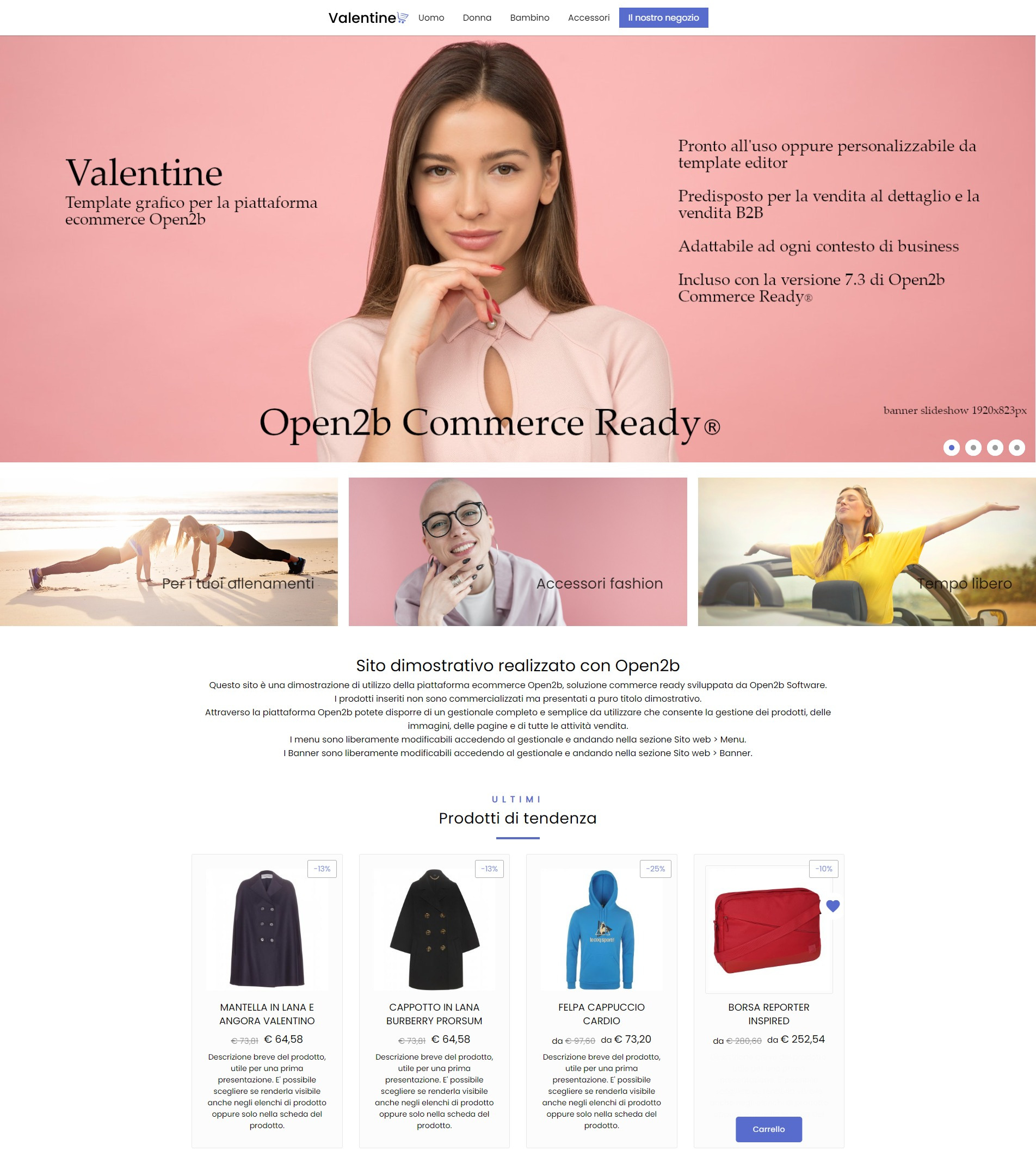
New Valentine template7.3 update
Available in the Template Store with the update to version 7.3, it is a complete template with dedicated features that let you easily switch from B2C to B2B, with filter management, slideshow, product pages with or without reference lists, and more.
Improved SEO indexing system7.3 update
Search engine indexing has been further improved for stores that have a large number of pages, such as those that heavily use navigation filters.
In previous versions, search engines were allowed to index all store pages. But if a store uses filters, the number of pages to index can be very high and this can penalize the pages that are most relevant.
The Filters feature generates a dedicated URL for each combined search (for example Department - Manufacturer - Price - Attribute) which the search engine will index. If the Open2b edition includes it, you can also associate a page in the management panel so you can add tailored text content to support customers and improve SEO ranking.
The new version lets you limit indexing depth in Filters by prioritizing the most relevant pages. Search engines will index only higher-level pages and only those for which a specific page has been created in the management panel (for example a page for a department/manufacturer/attribute value combination), giving them higher importance.
An additional advantage is that this feature avoids overloading the server and makes the site even faster. The default depth is 2, meaning for example that a manufacturer and the department/manufacturer combination are indexed, but not the department/manufacturer/attribute combination which is level 3. If a dedicated page has been created in the management panel for a combination, that page will always be indexed regardless of its combination level, because Open2b considers it relevant for SEO.
PayPal Checkout7.3 update
The old PayPal payment system, namely the button shown after payment, is now deprecated. In this new version, the new PayPal Checkout system is available as an additional module on request. As with Stripe, the customer pays before the order is completed and the order is created only if the payment is successful.
Additional module available in all editions.
Templates
New variables7.3 update
Added the shippings and payments variables. These allow you to customize payment and shipping method selection more effectively. For example, you can exclude some payment or shipping methods directly in the template based on your criteria.
New functions7.3 update
Added the sendMail and isMailAddress functions. With previous versions, to send an email from the site you had to rely on an external app. With the new sendMail function you can send emails, including attachments, without external apps. The isMailAddress function supports sendMail by validating that an email address provided by a customer is valid.
New Scriggo version7.3 update
The Scriggo template system has been updated to the latest version. Several useful improvements were added for building templates.
Management panel
Bulk edit all prices for a product's references7.3 update
If a product has multiple references (with different variants like size, color, dimensions, and more), updating prices can be time-consuming and repetitive, especially if all references share the same sale price.
Until now the fastest way was to import an updated XLS file, but now you can change all prices together from the product page instead of opening each reference individually, thanks to the new feature.
This makes it much easier to manage products with multiple references at the same price.
Create returns from the customer page7.3 update
In the customer profile in the management panel, in addition to orders and other documents, you can now see the customer's returns and create a new return immediately.
More customer groups visible7.3 update
The customer group list now shows twice as many groups, making it easier to manage large numbers of groups.
Other 2022 updates
Stripe7.2 update
The new integration lets you accept credit card payments via Stripe. Buyers can enter their card details directly during checkout, without leaving the store, in full security. The order is created only if the payment succeeds.
For European cards Stripe charges 1.4% + EUR 0.25. To receive payments with Stripe, see the Stripe pricing and create an account, then request the additional payment module for the store.
Additional module available in all editions.
Collections7.2 update
Collections are a more advanced way to present products to specific customers (individuals or groups), for example to satisfy reserved or exclusive agreements or to reward loyal customers with special offers and early access to new catalogs on dedicated pages.
You can create Catalog collections and Additional collections. Catalog collections determine the product catalog seen by customers, while Additional collections let customers access additional product collections after registration, reserved for them.
Included in Advanced B2B and Enterprise editions.
Abandoned cart recovery7.2 update
The new abandoned cart recovery system automatically emails customers when they started an order but did not complete it. The email lets them resume checkout later and complete the order.
Emails can be sent automatically or manually from the management panel. Emails are sent both to guest customers who left their email address and to registered customers who have not yet completed the order.
Included in Advanced B2B and Enterprise editions.
Batch API7.2 update
Batch is the new API that makes it easier to build procedures and applications that read from the product catalog. It enables faster catalog exports, integrations with resellers, and publishing products on comparison sites and marketplaces.
Included in all editions.
Reference dimensions7.2 update
You can now specify dimensions for each reference, such as width, height, and depth. They can be shown on the product page and imported from Excel and Danea Easyfatt.
B2B price preview7.2 update
In B2B editions, the management panel now shows a price preview on the site, as already happens in B2C editions.
2 additional languages7.2 update
For Advanced and Advanced B2B editions, you can now add two more languages to the site. The maximum number of languages increases from 6 to 8.
Login with Facebook7.2 update
The new Facebook login system lets customers log in and register with their Facebook account.
No returns for previously rejected items7.2 update
Customers can no longer return products that were previously rejected.
Other updates7.2 update
- Standard and Standard B2B editions no longer have product number limits. Limits were 1,000 products for Standard and 5,000 for Standard B2B.
- The Standard B2B edition now includes filter-based navigation, previously available only in Advanced editions.
- You can assign a code to tax zones and shipping methods to identify them.
- Quotes in the management panel can be sorted by expiration date.
- The email sent to the merchant as order confirmation now includes the site name.
- If you add a file to the template currently applied to the site, you can associate it with a page in the management panel under "Website > Pages", without applying the template first.
- For payment methods, it is now possible to specify the VAT class even when there is no payment fee.
Templates7.2 update
The following are all the updates introduced in templates:
- Added the
collectionsvariable with the list of additional collections for the customer and the new system pagecollection.htmlfor a single collection. - Added the
buttonOrdervariable tocheckout-methods.htmlto complete the order immediately without another step. - Added the
cartvariable tocheckout-addresses.htmlandcheckout-methods.htmlto show the cart summary. - Added the
Width,Height, andDepthfields to theItemtype. - Added the
departmentByIDvariable that lets you access department information by identifier. - Added the
formvariable that lets you read parameters sent to the page via POST and query string. - Added the
Timetype and related functions to measure and display dates and time. - Added the
Payfield to thePaymentMethodtype to allow payment on thecheckout-methods.htmlpage. - Changed the
languagesvariable to allow access to the fields of the site's languages. - Changed the
currenciesvariable to allow access to the fields of the site's currencies. - Added the
URLfield to theDepartmenttype with the department's canonical URL. - Added the
Parentmethod to theDepartmenttype to access the parent department of another department. - Added the
parentvariable to thedepartment.htmlpage representing the parent department. - Added the
resourcesvariable with the list of resources for the current page. - Added the
buttonPrintvariable to thereturn-confirmation.htmlpage to print a return request. - Scriggo default expressions are now supported.
- The Scriggo
usinginstruction is now supported. - Added the shipping address of an order via the JavaScript variable
Open2b.order.shippingAddresson thecheckout-confirmation.htmlpage. - Removed the
HTMLtype from templates. You can use thehtmltype instead.
See the Template Manual to update your template for collection support, Stripe, and to shorten checkout by one step.
API v87.2 update
In addition to the new Batch API, the following are the updates introduced in the new API v8:
- Added the new Storefront method
storefront.login-withto log in a customer via Facebook. - Added the
productsfield tocommerce.attribute-values.updateto assign an attribute value to products and addedproductstocommerce.attribute-values.getto read products with a given attribute value. - Added the
codefield to tax zones. - Added the
codefield to shipping methods. - Added methods
commerce.collections.find,commerce.collections.get,commerce.collections.count,commerce.collections.create,commerce.collections.update, andcommerce.collections.deleteto manage collections. - Added the
collectionfield to customer groups to assign the product collection a customer group can see. - Added the
collectionfield to customers to assign the collection a customer should see if different from their group. - Added the
collectionsfield to customers to assign additional collections to a customer.
See the versions documentation to update your applications for the new API v8.